Stop rebuilding site visits from memory.
Struvo turns your notes, photos, and voice memos into finished reports now, then keeps the thread alive so the next visit starts with context instead of guesswork.
In short
Less reconstruction. Fewer dropped threads. No heavy setup.
Example field report
Riverside Commons Renovation
Field Report 19
Observations
- West entry storefront framing reviewed against latest issued dimensions.
- Mechanical rough-in at the second-floor corridor remains incomplete near the soffit line.
- GC confirmed revised millwork dimensions will be issued after final field verification.
Open items between visits
What stayed open, what changed this visit, and what still needs follow-through.
- Storefront finish approval remains open from the prior visit.
- Rough-in coordination issue at the corridor soffit was clarified this week.
- Verify field dimensions at the next visit before the revised detail is issued.
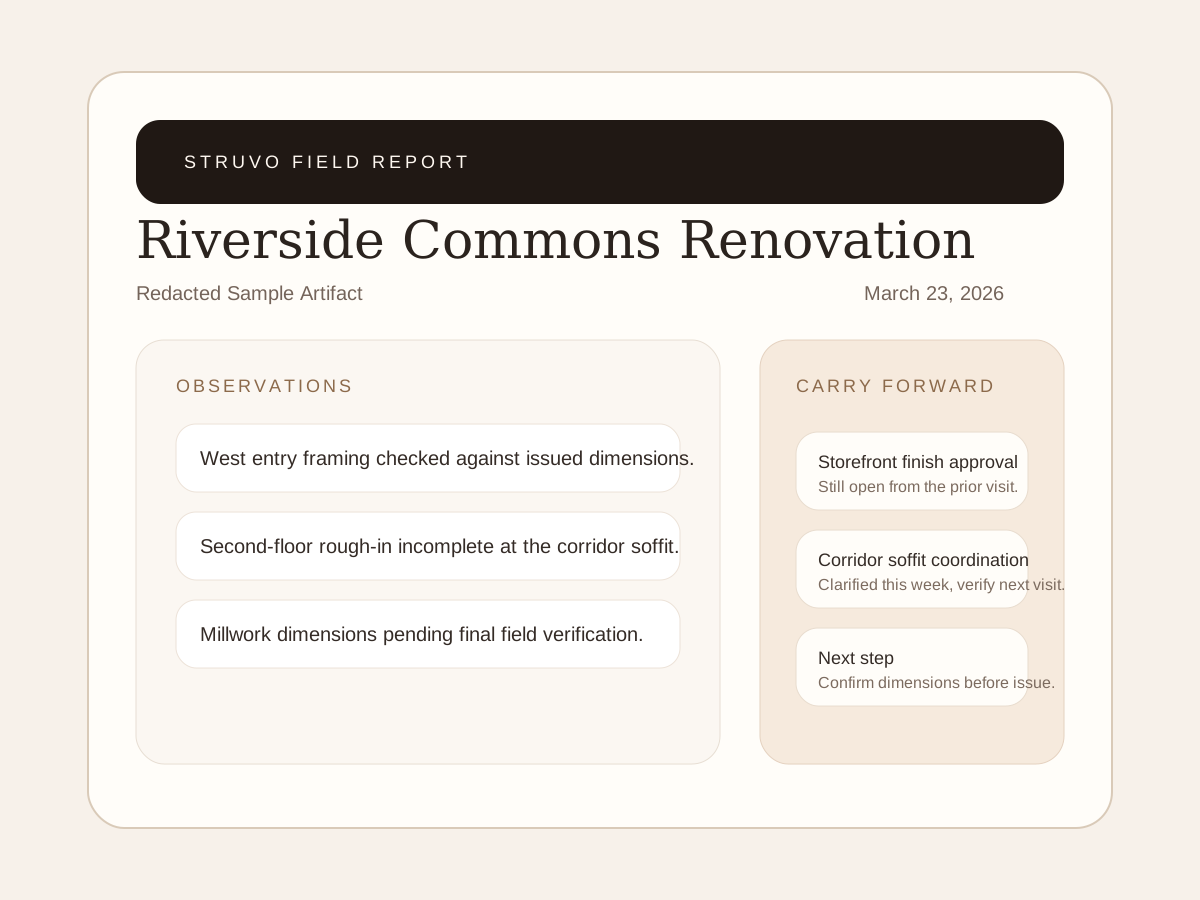
Example field report
This example shows the report layout and wording. Use it to inspect the format, not as a customer case study.
Open sample PDF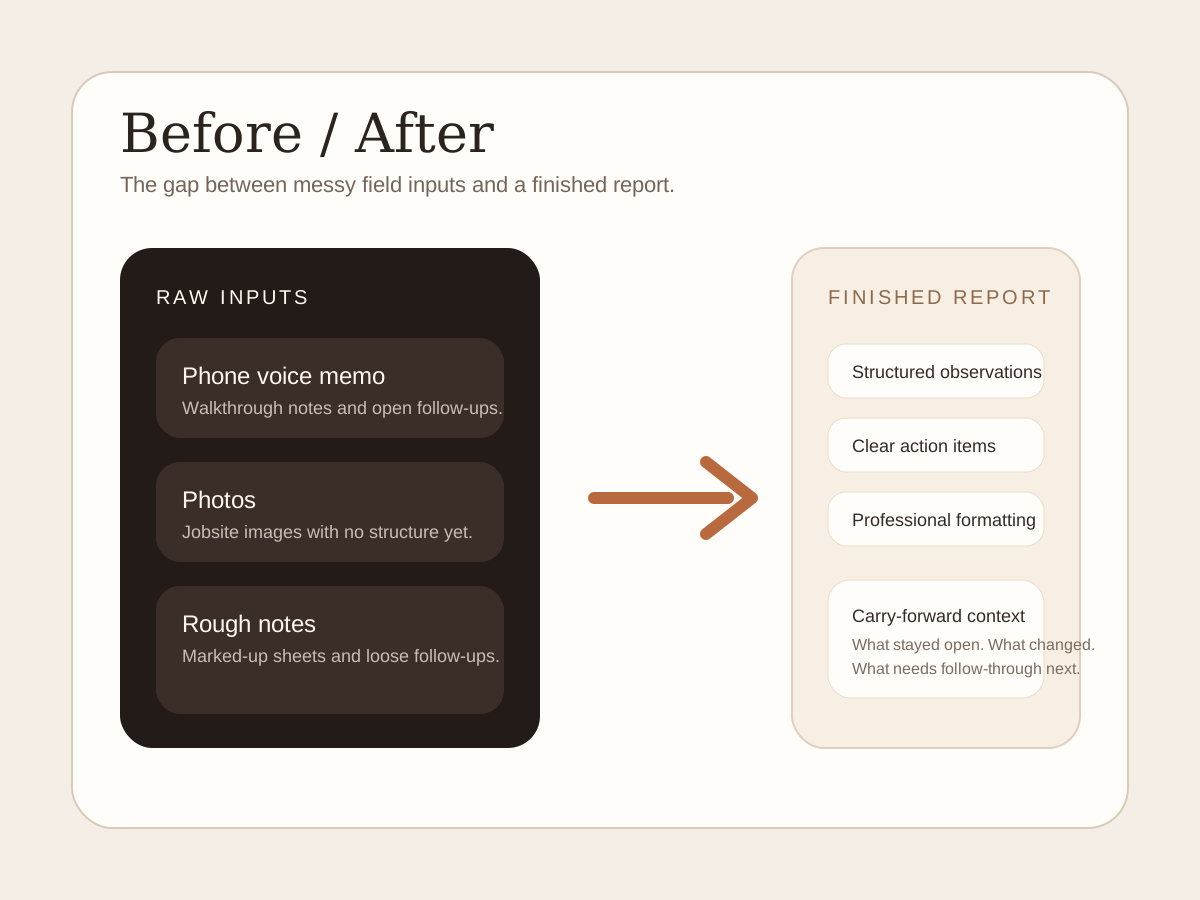
From notes to report
An example of organizing a voice memo, photos and rough notes into a field report.
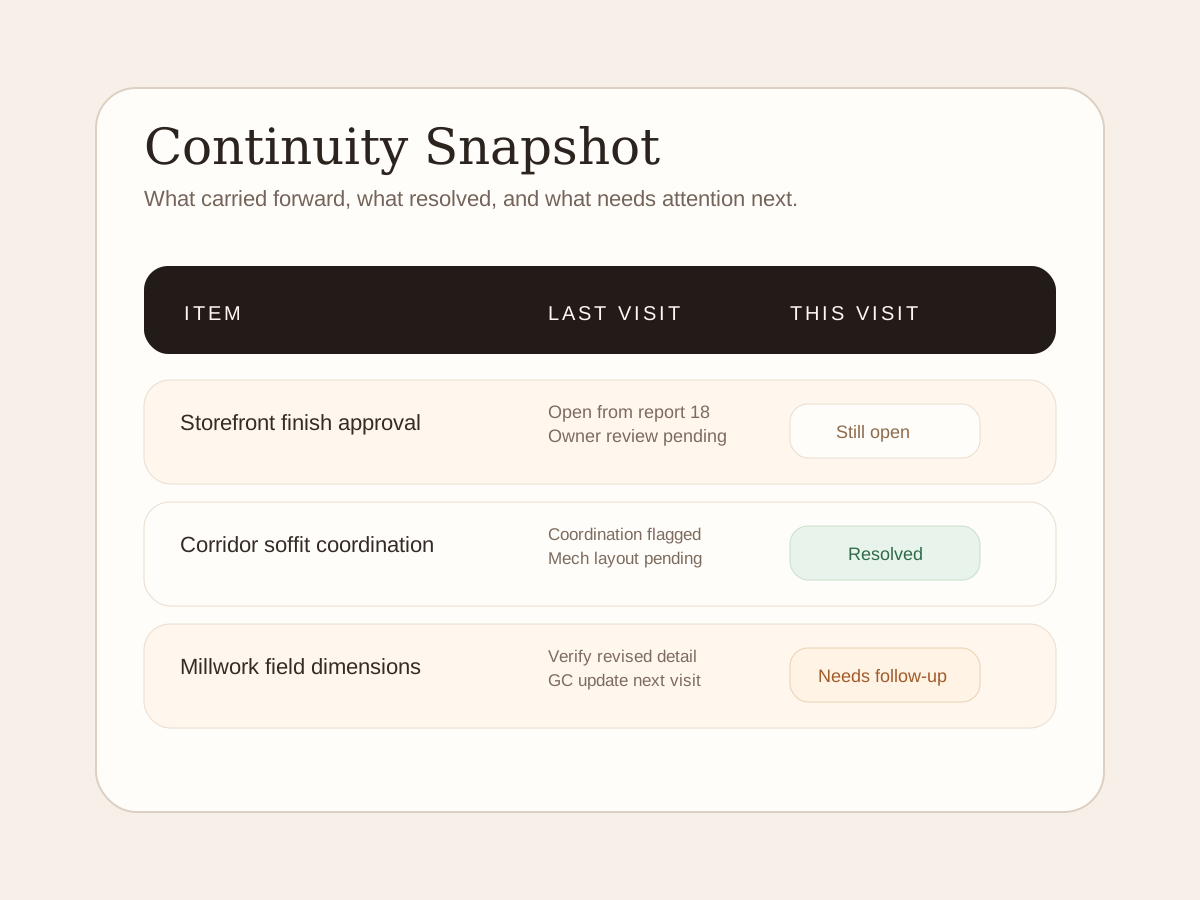
Open-item example
An example of tracking open items, resolved issues and next steps across visits.
Typical input bundle
Voice memo
Walkthrough observations captured the way you already work.
Photos
Jobsite images, tagged to the right moments and issues.
Supporting notes
Text notes, markups, or a forwarded document when it matters.
The Pain
The site visit is not the hard part. The reconstruction is.
The site visit is not usually the hard part. The hard part is reconstructing it afterward from photos, voice notes, half-finished thoughts, and whatever is still sitting in memory.
That is where time disappears and details get dropped. It is also where follow-through starts to fray, because the next visit begins without a clean handoff from the last one.
How it works
Capture
Use the same messy bundle you already have: voice memo, photos, notes, and marked-up context if it matters.
Send
Forward or upload the materials without changing the jobsite ritual just to test the system.
Review
Receive a finished report that is easier to trust than a transcript dump or end-of-day memory exercise.
Carry forward
Keep unresolved items, repeated issues, and follow-up context alive into the next visit.
Value
Prepare reports and keep track of open items.
See how report preparation and follow-up fit the work you do.
Less report drag
Get the report done without turning the rest of the day into cleanup work.
Lower mental overhead
Keep the thread alive between visits so you do not have to reconstruct the last one from scratch.
Better follow-through
Recurring issues and still-open items become easier to spot and carry forward.
Between visits
Keep the visit and its follow-up together.
Compare how notes, reports and follow-up items are organized.
Before
- The report gets rebuilt after the visit
- Important details disappear between visits
- Open items live in inboxes and memory
- The next visit starts without a clean thread
After
- The report comes back faster and cleaner
- The visit rhythm becomes easier to repeat
- Open items stay visible between reports
- The project record stops fragmenting so quickly
Proof
What the examples show.
Review the example report, input formats and open-item list. These illustrate the format, not customer results.
Sample report
An example layout showing the report sections, wording and formatting.
Before / after
See how a recording, photos and notes can be organized into report sections.
Open-item example
An example shows how an unresolved item can appear in the next visit's report.
Questions
The usual concerns
The questions people ask before they book a call.
I do not want another app.
You do not need one to start. The first step is intentionally light and fits around existing behavior.
I do not have time to learn a new workflow.
The reporting steps use voice memos, photos and notes. You can review the example format before joining the waitlist.
I just need the report done fast.
New report requests are currently closed. Join the waitlist to hear when access opens.
Ways To Work
Choose the reporting option that fits.
Compare reporting options. New teams currently join the waitlist.
Waitlist
Join the list so we can follow up when you can try Struvo on a live visit.
Starter
Best for low-volume reporting or occasional cleanup support.
Pro
Best when repeated visits make continuity and shared memory matter.
Final step
Get notified when report access opens.
Tell us about your site reporting needs. We will follow up when access opens.