Turn site visits into finished field reports your firm would send.
Record the visit, send the photos, get back a clean, professional report that carries context forward instead of dying in a PDF.
In short
Join the waitlist. No credit card. No heavy setup when access opens.
Example field report
Riverside Commons Renovation
Field Report 19
Observations
- West entry storefront framing reviewed against latest issued dimensions.
- Mechanical rough-in at the second-floor corridor remains incomplete near the soffit line.
- GC confirmed revised millwork dimensions will be issued after final field verification.
Open items between visits
What stayed open, what changed this visit, and what still needs follow-through.
- Storefront finish approval remains open from the prior visit.
- Rough-in coordination issue at the corridor soffit was clarified this week.
- Verify field dimensions at the next visit before the revised detail is issued.
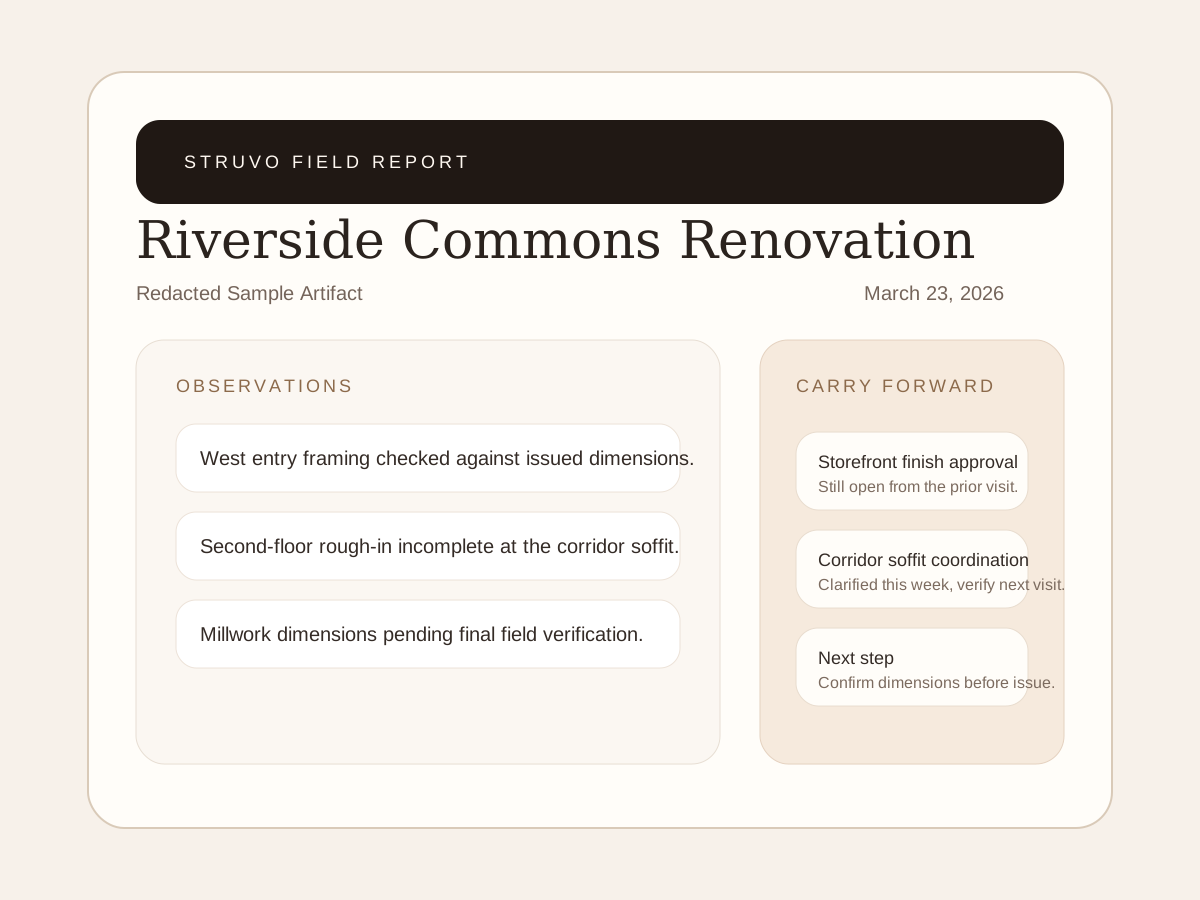
Example field report
This example shows the report layout and wording. Use it to inspect the format, not as a customer case study.
Open sample PDF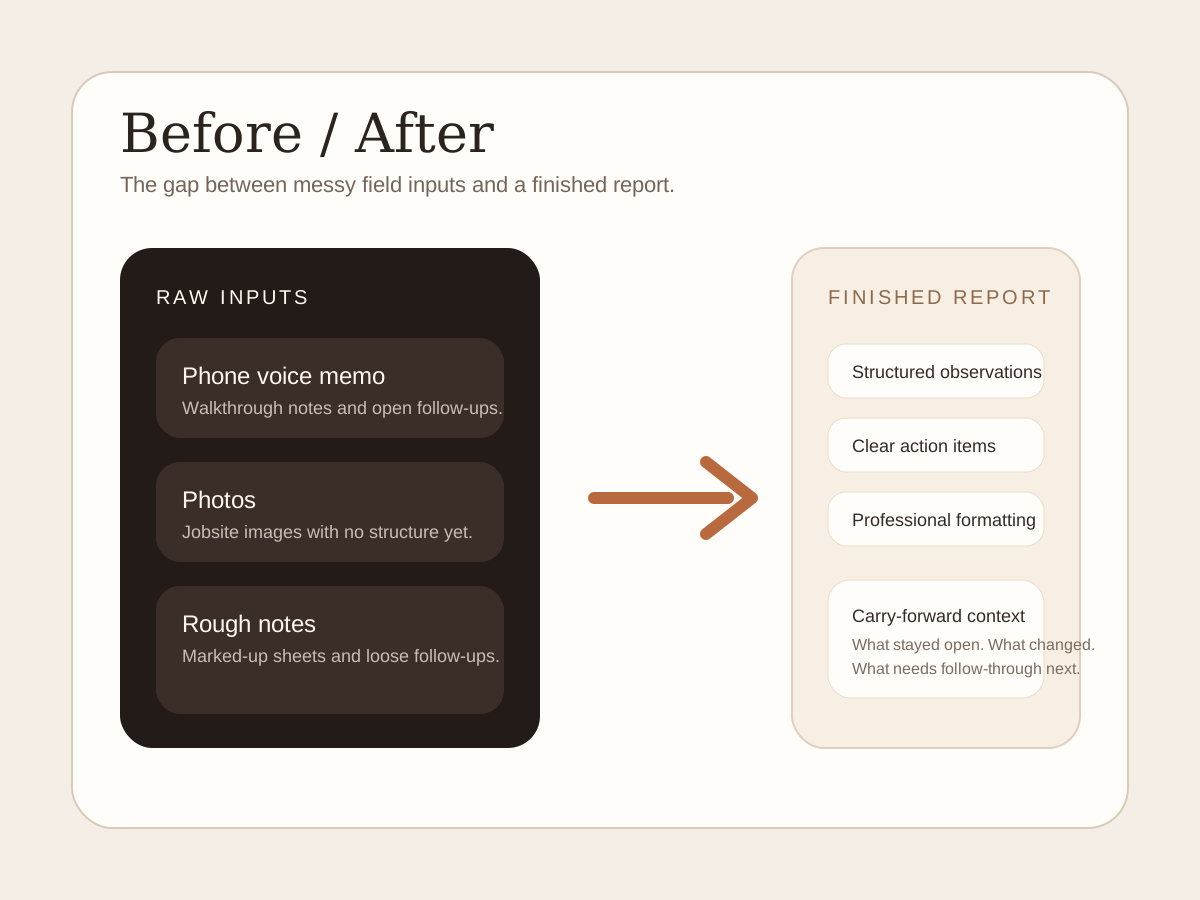
From notes to report
An example of organizing a voice memo, photos and rough notes into a field report.
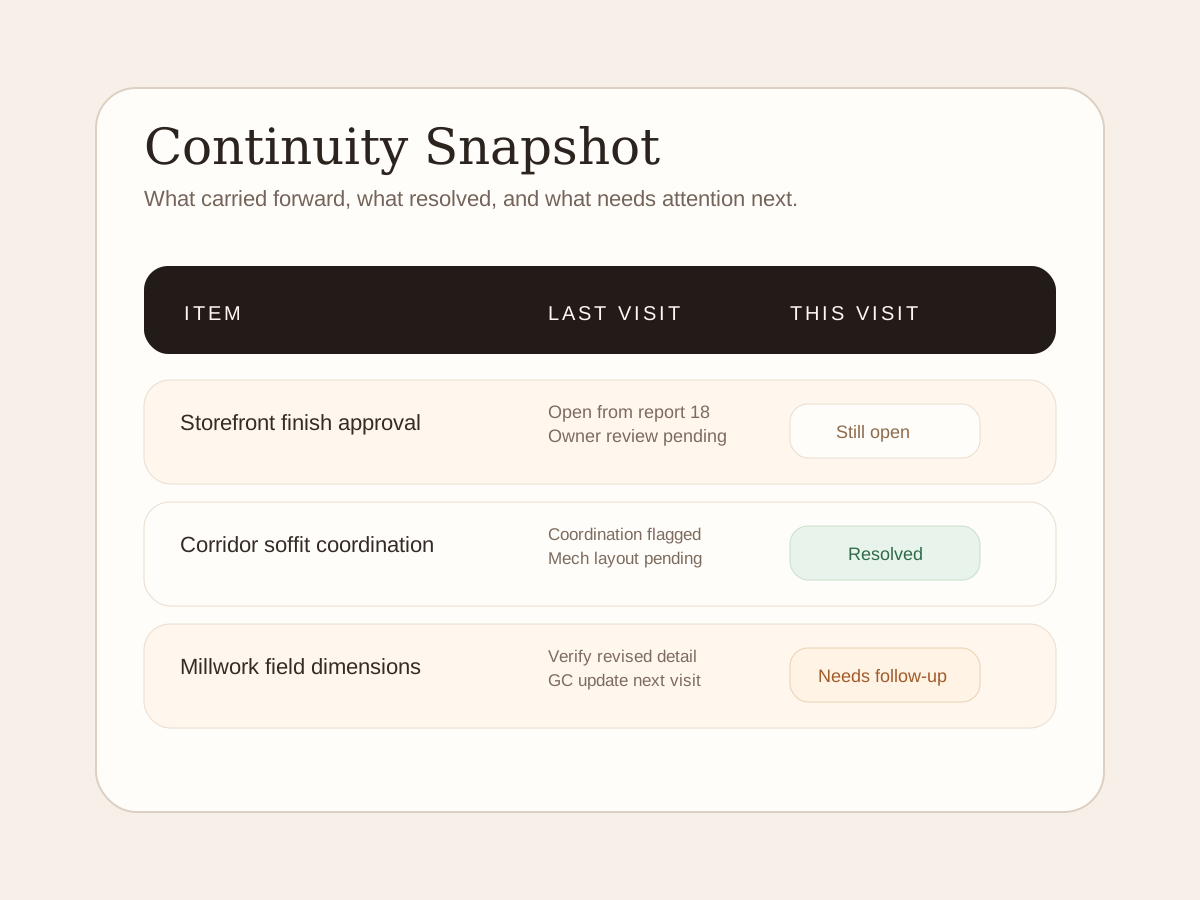
Open-item example
An example of tracking open items, resolved issues and next steps across visits.
Typical input bundle
Voice memo
Walkthrough observations captured the way you already work.
Photos
Jobsite images, tagged to the right moments and issues.
Supporting notes
Text notes, markups, or a forwarded document when it matters.
The Pain
The site visit takes an hour. The report steals the rest of the afternoon.
The hardest part is rarely the visit itself. It is the reconstruction afterward. Voice notes, photos, half-finished thoughts, and project context all have to get turned back into something the firm can send with confidence.
That is why field reporting quietly becomes expensive. Not just in time, but in inconsistency, dropped threads, and the low-grade stress of trying to remember what mattered from the last visit.
How it works
Record
Record your observations the way you normally would: phone voice memo, dictated notes, photos, and supporting material if needed.
Send
Upload or forward the material. No heavy setup and no new field ritual required just to try it.
Review
Receive a finished field report that is structured, readable, and easier to trust than a first-pass transcript dump.
Carry forward
If the report becomes part of your regular rhythm, the important context starts carrying into the next visit.
Value
Prepare reports and keep track of open items.
See how report preparation and follow-up fit the work you do.
Architect-grade output
The first job is simple: return a report that looks clean, readable, and professional enough to send.
Less reconstruction
You stop rebuilding the visit from memory because the notes, photos, and spoken context get turned into a usable artifact fast.
Continuity across visits
The deeper value is that each visit stops starting from zero. Context begins to stack instead of disappearing into old PDFs.
Between visits
Keep the visit and its follow-up together.
Compare how notes, reports and follow-up items are organized.
Before
- Every visit starts from scratch
- Important details live in notes, inboxes, and memory
- Reports get sent, then buried
- Follow-through depends on whoever remembers the most
After
- The report is done without the usual reconstruction drag
- The project record begins to stay coherent over time
- Open threads are easier to spot
- The firm has a cleaner memory of what happened
Proof
What the examples show.
Review the example report, input formats and open-item list. These illustrate the format, not customer results.
Sample report
An example layout showing the report sections, wording and formatting.
Before / after
See how a recording, photos and notes can be organized into report sections.
Open-item example
An example shows how an unresolved item can appear in the next visit's report.
Questions
The usual concerns
The questions people ask before they book a call.
Will the report feel professional enough to send?
Review the example report's layout and wording against your firm's standards.
Will this sound like our firm?
Review the example wording against your firm's standards. Your team checks the report before sharing it.
Do we have to roll out another piece of software?
No. The first step is intentionally lightweight. Join the waitlist now, then decide from the artifact when access opens.
Ways To Work
Choose the reporting option that fits.
Compare reporting options. New teams currently join the waitlist.
Waitlist
Join the list so we can follow up when you can try Struvo on a real site visit.
Starter
Best if you need occasional help getting the report done without moving into a monthly plan yet.
Pro
Best when site visits are regular and continuity between visits starts to matter enough to justify a recurring lane.
Final step
Join the waitlist for report access.
Review the example report while access is closed. Join the waitlist if you want to hear when you can send your own visit.