Turn site notes into field reports.
Struvo organizes voice memos, photos and notes into field reports, with open items to review before the next visit.
In short
New report requests are closed. Join the waitlist for access updates.
Example field report
Riverside Commons Renovation
Field Report 19
Observations
- West entry storefront framing reviewed against latest issued dimensions.
- Mechanical rough-in at the second-floor corridor remains incomplete near the soffit line.
- GC confirmed revised millwork dimensions will be issued after final field verification.
Open items between visits
What stayed open, what changed this visit, and what still needs follow-through.
- Storefront finish approval remains open from the prior visit.
- Rough-in coordination issue at the corridor soffit was clarified this week.
- Verify field dimensions at the next visit before the revised detail is issued.
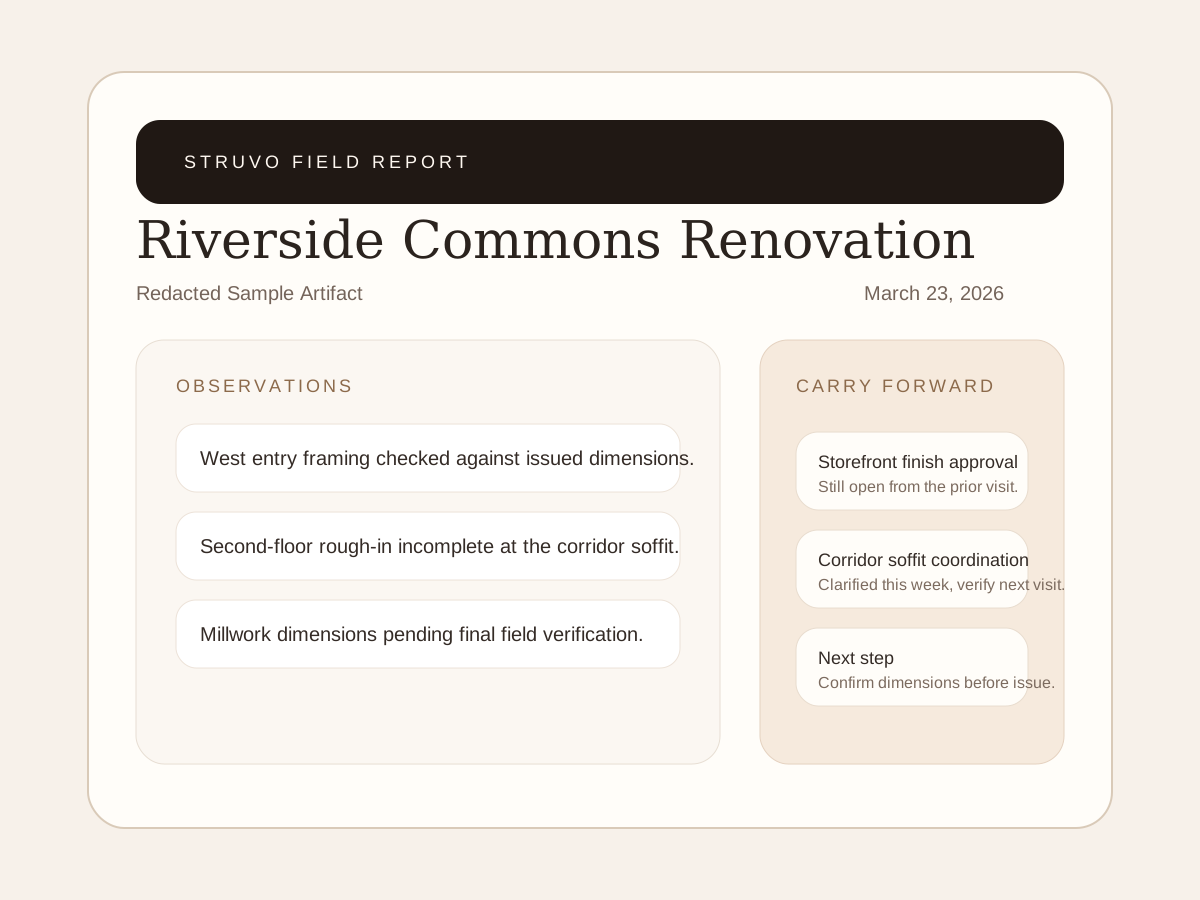
Example field report
This example shows the report layout and wording. Use it to inspect the format, not as a customer case study.
Open sample PDF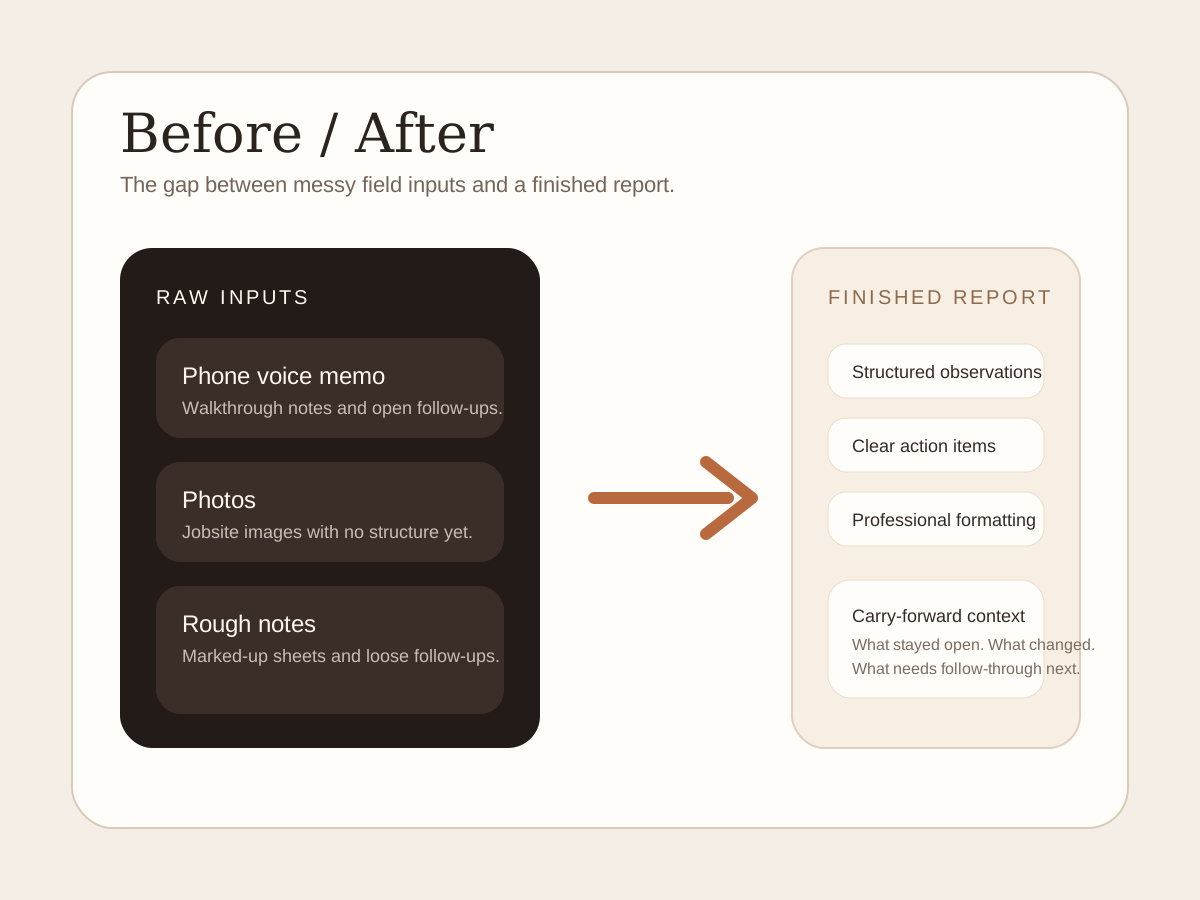
From notes to report
An example of organizing a voice memo, photos and rough notes into a field report.
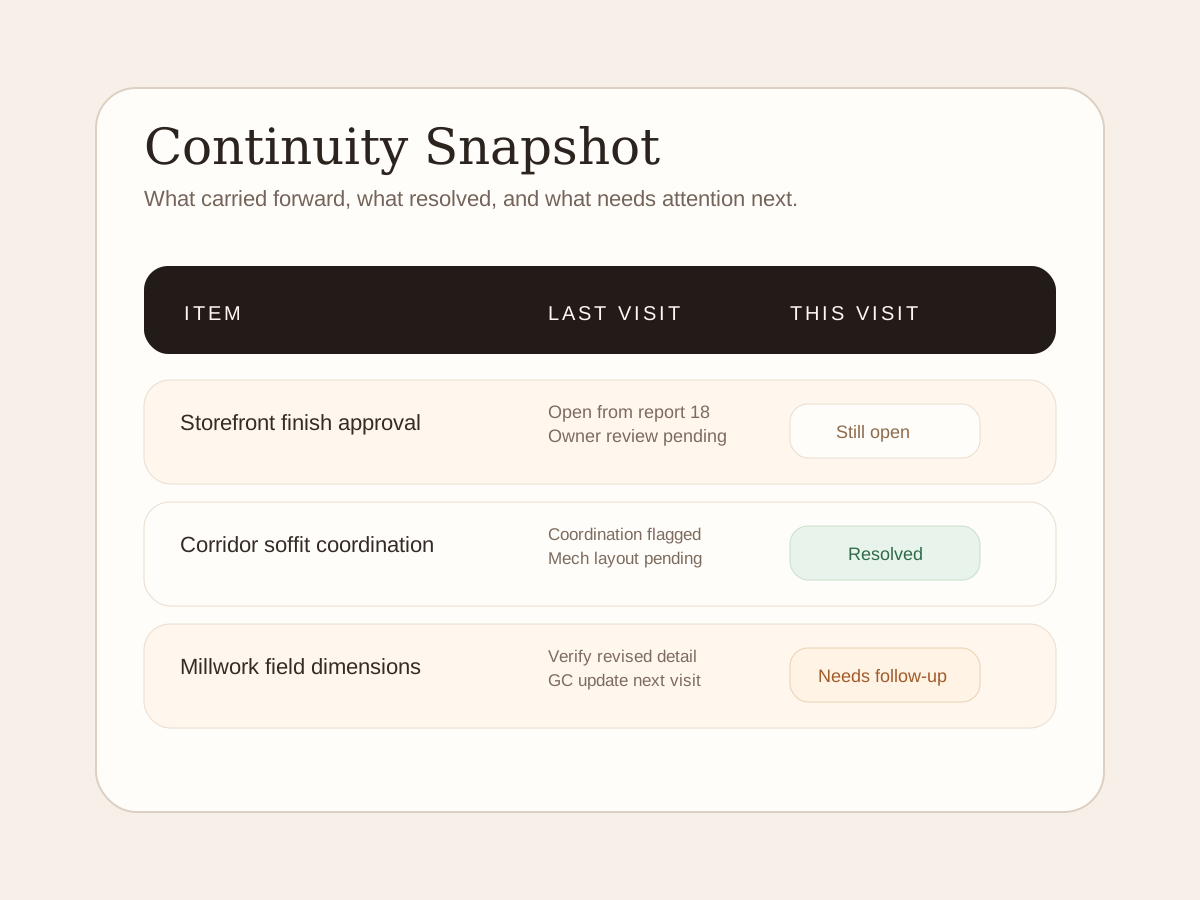
Open-item example
An example of tracking open items, resolved issues and next steps across visits.
What Struvo Is
Prepare the report. Keep open items in view.
Organize the visit into a report, then review unresolved items before the next visit.
Field reports
Organize the visit into observations, photos and action items for your review.
Open items between visits
Review unresolved items and earlier decisions when preparing the next report.
Choose your reporting setup
Compare occasional reports, a team plan and custom requirements. New teams currently join the waitlist.
Between visits
Keep the visit in the project record.
Put observations, photos and follow-up items together so the team can find them again.
Before
- Site knowledge lives in voice memos, inboxes, photos, and memory.
- Reports get sent and then disappear into a stack of dead PDFs.
- Follow-through depends on whoever happens to remember the last visit.
After
- The visit is organized into a report your team can review.
- Reports and open items are kept together by project.
- Open threads, repeated issues, and next actions become easier to see.
How It Works
Start with the visit you already have.
Record what you saw, review the report and check what still needs attention.
Record the visit
Capture observations the way you already work: phone voice memo, photos, notes, and relevant docs if they matter.
Send the bundle
Upload or forward the material without learning a new field workflow just to get started.
Review the report
Check the report's observations, names, photos and action items before sharing it.
Carry the thread forward
Use previous reports and unresolved items to prepare for the next visit.
Proof
Look through an example report.
Review example report sections and open-item tracking. These previews show the format, not verified customer results.
Sample report
An example layout showing the report sections, wording and formatting.
Before / after
See how a recording, photos and notes can be organized into report sections.
Open-item example
An example shows how an unresolved item can appear in the next visit's report.
Ways To Work With Us
Choose the reporting option that fits.
Compare the reporting options below. New teams currently join the waitlist.
$29/report
Starter
Turn one site visit into a finished field report without committing to seats or a monthly plan.
Join the waitlist$349/mo
Pro
30 reports, 3 seats, Smart Alerts, Weekly Digest, and Photo Vault for teams that file reports weekly. $279/mo billed annually. Cancel anytime, backed by a 30-day ROI guarantee.
See Pro fitFrom $749/mo
Enterprise
For teams that need Struvo to fit existing approval, branding, access, and handoff requirements before wider use.
Talk through fitStart Here
Pick the path that sounds like your problem.
Choose the reporting task you need help with.
I hate writing site reports
Review the sample format, then join the waitlist to hear when new report requests open.
Join the waitlistWe have repeated site visits
See how Struvo turns repeated site work into one shared project record.
See continuityWe need team consistency
See how reports can use the same structure and keep unresolved items visible across your team.
See team fitWe need a custom rollout
Tell us about templates, approvals or integrations your team needs beyond the standard Pro plan.
See custom fitI’m an inspector
Read about the planned home-inspection reports and their current availability.
See inspector pathWhy Struvo exists
Built to help with the work after a site visit.
Struvo started with a simple problem: site visits kept producing valuable context that died inside rushed PDFs, inbox threads, and private memory.
Struvo organizes the report and keeps earlier observations and unresolved items available for the next visit.
Built for project documentation
Bring together the observations, photos and follow-up items from a site visit.
See the report format
Review the example report's sections and layout before deciding whether it fits your work.
Use your existing notes
Start with voice memos, photos, notes and supporting documents from the visit.
Final step
Get on the waitlist.
Leave your details and we will contact you when access opens.