Turn field documentation into operational visibility.
Struvo gets the report done first, then helps your firm make documentation more coherent across people and visits before you take on anything more custom.
In short
Consistency first. Clearer handoffs second. Custom only when needed.
Example field report
Riverside Commons Renovation
Field Report 19
Observations
- West entry storefront framing reviewed against latest issued dimensions.
- Mechanical rough-in at the second-floor corridor remains incomplete near the soffit line.
- GC confirmed revised millwork dimensions will be issued after final field verification.
Open items between visits
What stayed open, what changed this visit, and what still needs follow-through.
- Storefront finish approval remains open from the prior visit.
- Rough-in coordination issue at the corridor soffit was clarified this week.
- Verify field dimensions at the next visit before the revised detail is issued.
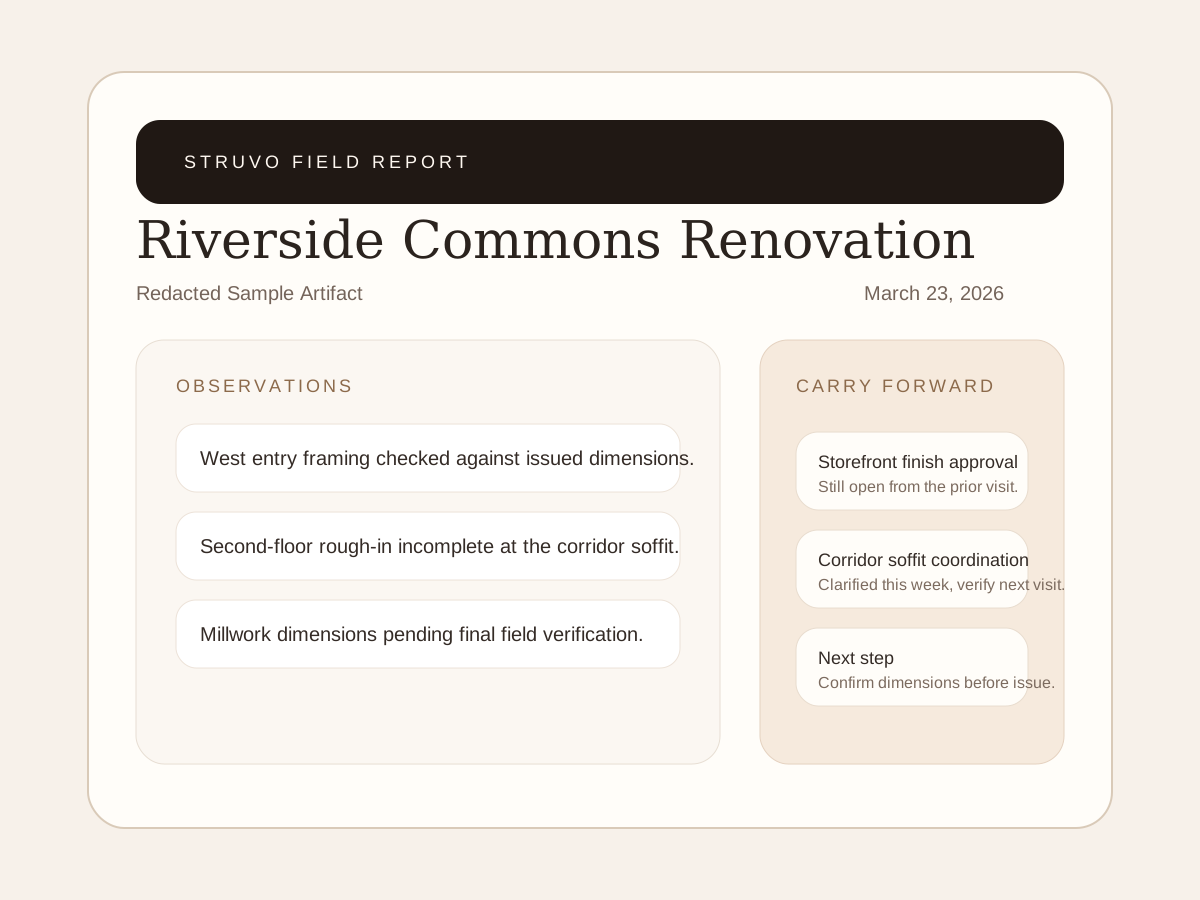
Example field report
This example shows the report layout and wording. Use it to inspect the format, not as a customer case study.
Open sample PDF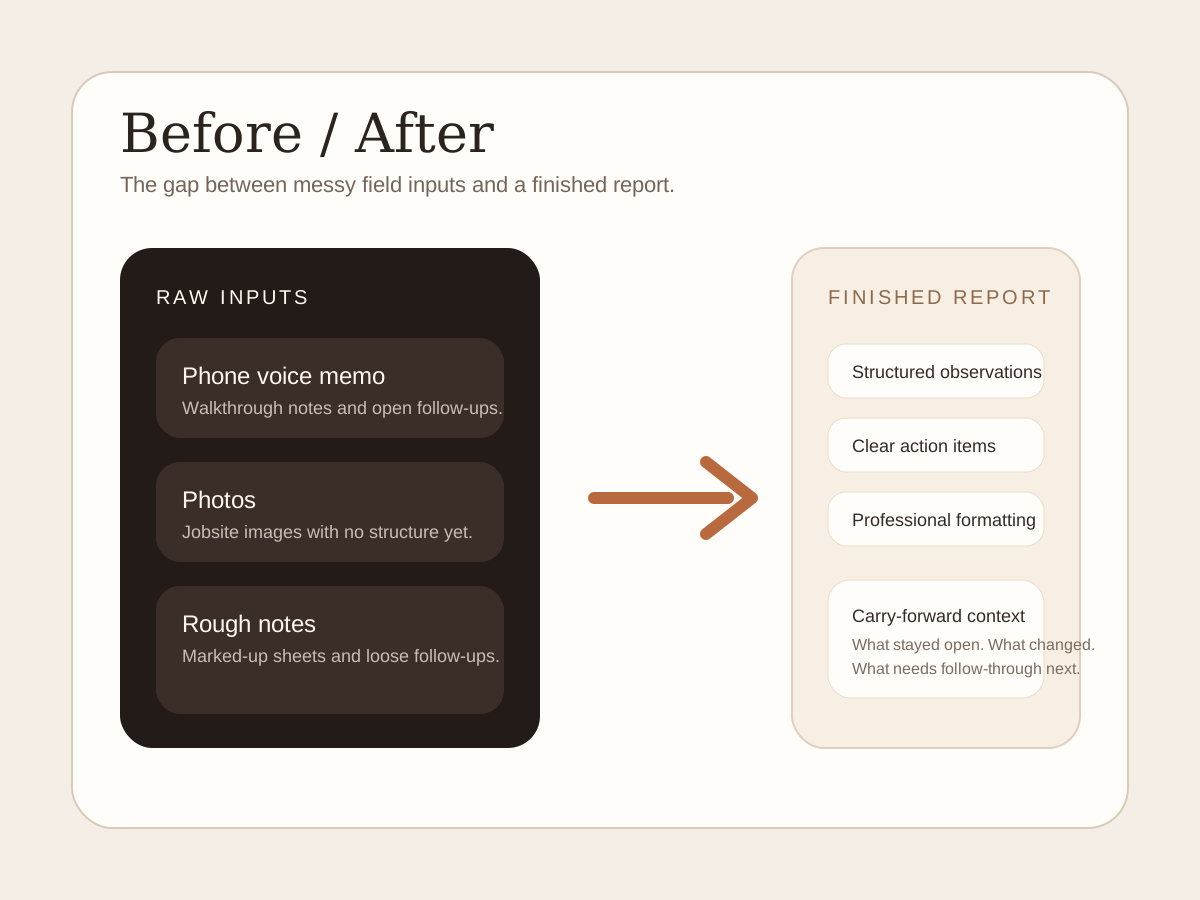
From notes to report
An example of organizing a voice memo, photos and rough notes into a field report.
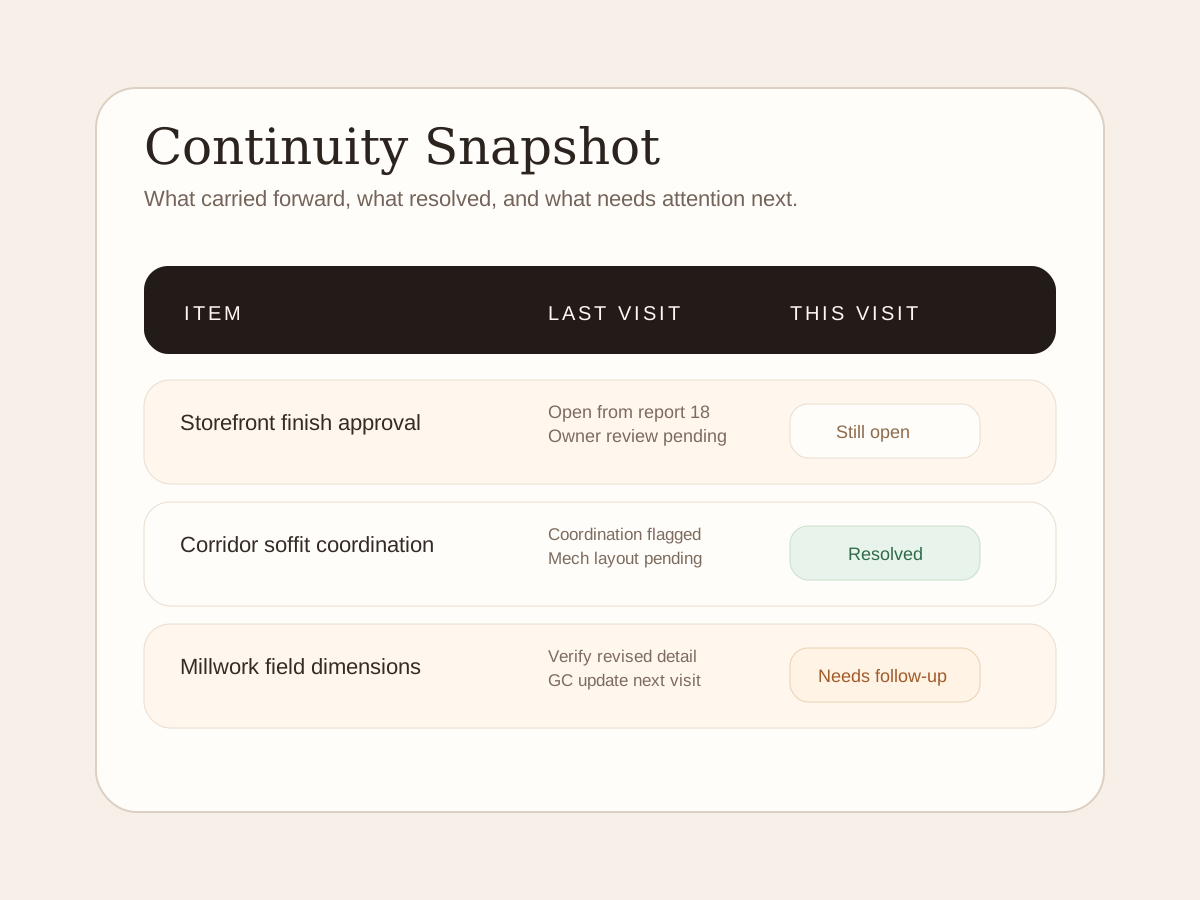
Open-item example
An example of tracking open items, resolved issues and next steps across visits.
Typical input bundle
Voice memo
Walkthrough observations captured the way you already work.
Photos
Jobsite images, tagged to the right moments and issues.
Supporting notes
Text notes, markups, or a forwarded document when it matters.
The Pain
The report is not the real problem. The blind spots are.
Project knowledge often lives in scattered PDFs, inboxes, and the heads of the people closest to the work. That makes it hard for leadership to see what is still open, what is repeating, and where risk is quietly building.
Your team also needs to find earlier decisions, unresolved issues and the next follow-up without searching separate inboxes.
How it works
Standardize the artifact
The first step is consistent, usable field output across visits and people.
Preserve continuity
Once the reports stack, the project record begins to hold onto what happened and what is still open.
Review the thread
Review what happened on site, what remains unresolved and who needs to follow up.
Go custom only if needed
Discuss custom requirements if your team needs different templates, approvals, access or integrations.
Value
Prepare reports and keep track of open items.
See how report preparation and follow-up fit the work you do.
Leadership clarity
Get cleaner field documentation and a more coherent thread before leadership has to chase fragmented context manually.
Consistency
Standardize how documentation shows up across people, projects, and reporting habits.
Defensibility
Keep chronology, attribution, and project evidence closer to hand when questions arise later.
Between visits
Keep the visit and its follow-up together.
Compare how notes, reports and follow-up items are organized.
Before
- Project knowledge is fragmented across people and documents
- Leadership cannot easily tell what is still open
- Repeating issues stay invisible until late
- The paper trail is harder to use than it needs to be
After
- Documentation becomes more coherent across the firm
- Open threads are easier to see and discuss
- Follow-through gaps surface earlier
- The firm gains operational visibility from work it is already doing
Proof
What the examples show.
Review the example report, input formats and open-item list. These illustrate the format, not customer results.
Sample report
An example layout showing the report sections, wording and formatting.
Before / after
See how a recording, photos and notes can be organized into report sections.
Open-item example
An example shows how an unresolved item can appear in the next visit's report.
Questions
The usual concerns
The questions people ask before they book a call.
Is this just another reporting tool?
No. The report is the front door. The deeper value is cleaner continuity and less fragmented project memory underneath it.
How is this different from software we already have?
This sits between the jobsite and the paper trail. It is lighter than project software and more operationally useful than a dead PDF archive.
Will this help us manage better, or just create more data?
It only earns its place if the documentation becomes easier to act on, not just easier to store.
Ways To Work
Choose the reporting option that fits.
Compare reporting options. New teams currently join the waitlist.
Pro
Best when leadership needs consistent documentation and shared continuity across repeated site work.
Annual Pro
Best when the reporting rhythm is already real and the firm wants the standard plan on a cleaner annual commitment.
Custom
Best when the scope is multi-team, multi-project, or integration-heavy enough that the standard Pro path no longer fits cleanly.
Final step
Start with the visibility problem you already feel.
If leadership is already chasing the thread manually, the right next step is a short conversation about the shape of the problem and the current reporting rhythm.